 Monteage
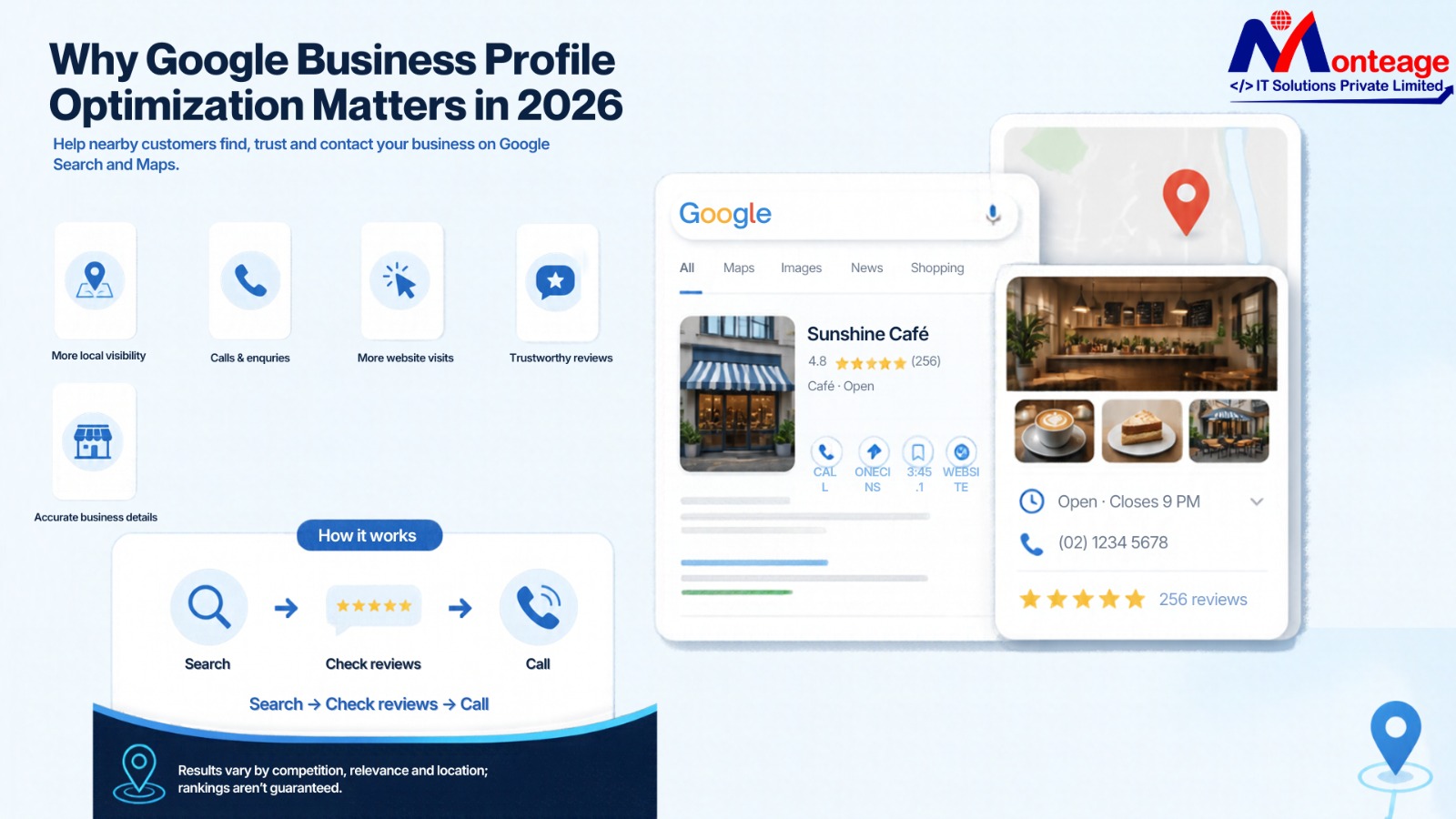
People often search online before deciding which business to visit, contact, or trust. If someone is looking for a dentist, a local café, a clothing store, or a digital marketing agency, they generally want reliable information and don't want to spend much time comparing options. Google Search and Google Maps help people find these businesses, which is why local visibility matters so much for digital growth. Google optimization also helps local businesses become easier to discover when customers search for relevant services.
Optimizing your Google Business Profile helps companies provide accurate information, build credibility, and connect with people searching for nearby products or services. A complete profile helps prospective customers understand what the business offers, where it operates, and how to get in touch. Effective Google Business Profile Optimization starts with accurate information and a clear understanding of customer needs.
Creating a profile is only the first step; businesses must keep information up to date, respond to customer feedback, upload authentic photos, and understand what local customers expect. With continuous improvements, the profile can become more useful and increase the chances of attracting relevant inquiries.
In 2026, local search success goes beyond appearing in search results; businesses also need to provide a reliable experience to encourage action.
Why Is Google Business Profile Optimization Important in 2026?
A Google Business Profile lets qualified businesses control how their information appears on Google Search and Google Maps, so customers can find opening hours, addresses, contact details, reviews, photos, services, and other key information without visiting the business's website first. Google Business Profile Optimization makes it easier for customers to find essential business information.
For a small business, this visibility can make a significant difference; for example, someone looking for a nearby salon might check ratings, view customer-posted photos, and see whether the salon is available before deciding. Similarly, someone searching for a local service provider might call the business directly from the profile.
A well-maintained listing can support several business goals:
- Increased local visibility: Google can better understand the business through relevant information and match it with appropriate searches.
- Increased customer inquiries: clear contact information makes it easier for potential customers to call or ask for details.
This increases credibility because genuine reviews and recent photographs let people assess the business.
- Providing accurate information about opening hours and services can improve the customer experience by reducing confusion.
Directing interested customers to relevant pages on the business website can increase website visits.
- Maintaining regular contact with customers can improve local recognition by making them more familiar with the brand.
It does not, by any means, guarantee better rankings or higher sales. A profile's effectiveness depends on its relevance, competition, location, customer trust, and the quality of the overall online presence.
1.Finish every important business detail.
Accurate information underpins Google Business Profile optimization; an incomplete listing may make potential customers doubt the business, even if its products or services meet their needs. Accurate details are essential to Google Business Listing Management
because they help customers find reliable business information.
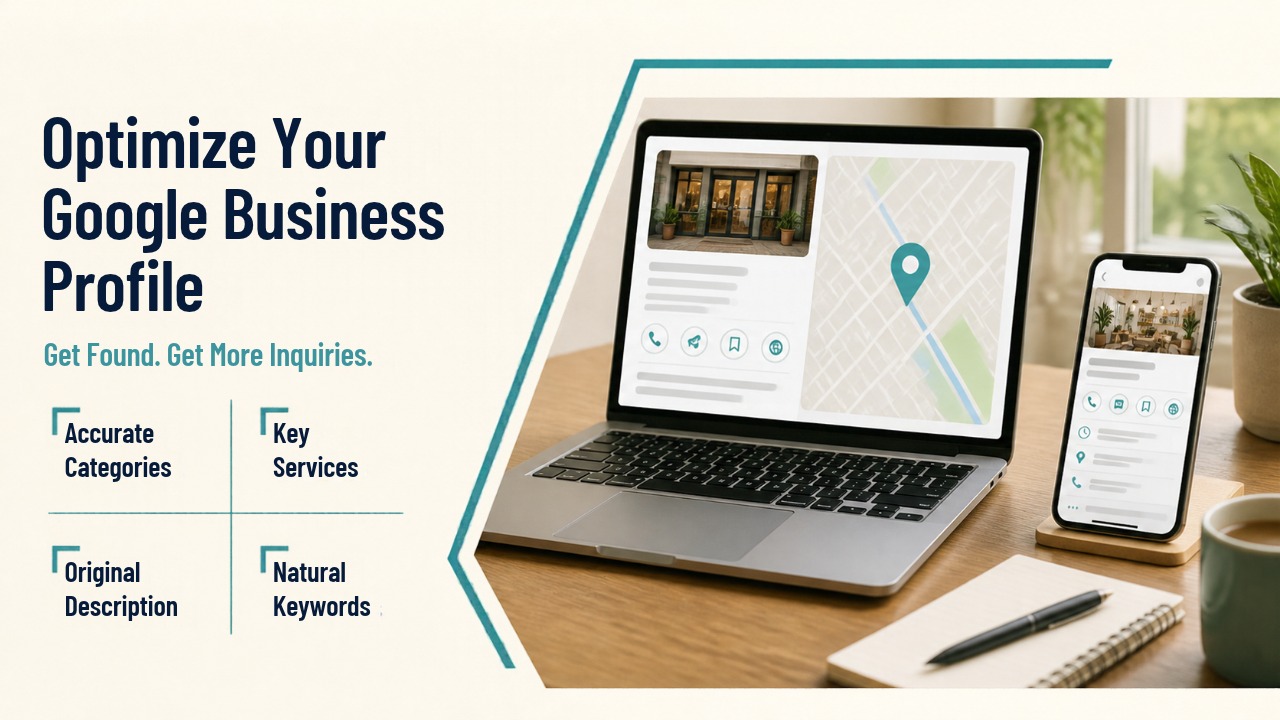
Start by verifying the business name, address, telephone number, website, opening hours, and main business category; ensure all details match the actual business, and update hours for holidays and any temporary changes as needed.
Give the main category special attention, since it describes the business's principal activity. For instance, a dental clinic should choose the most accurate category for its practice rather than a general one just because it seems popular.
Other categories can describe different real services, but choosing unrelated categories can confuse customers and give an incorrect impression of the business.
Businesses that serve customers on-site should provide an accurate address, and those with a service area should set up their profiles in line with Google's eligibility requirements rather than listing an address customers cannot visit.
A few simple checks can prevent common problems:
— Use the official business name without including any promotional keywords.
Make sure the contact details match the website and all relevant directories.
- Choose the most appropriate primary category.
- Include the correct opening and closing times.
- List the real services and facilities you offer.
- Fill in the relevant attributes, for example those related to accessibility.
- When the business changes its location or services, check its profile.
Learning how to optimize Google Business Profile begins with checking every essential business detail for accuracy.
2. Select the appropriate categories and clearly describe the services you offer.
Business categories and service descriptions help match a profile to the right search intent. Someone searching for an emergency plumber has different needs than someone searching for bathroom renovation services. Clear information makes these differences easier to understand. Google Business Profile Optimization works better when categories accurately reflect the services a business provides.
Start by identifying which services get the most inquiries or are the business's main focus. For each relevant service, place it in the appropriate section of the profile, since the feature allows this. Use simple descriptions to explain what customers can expect.
For example, a fitness studio could list personal training, group classes, strength training, and beginner fitness sessions, if it offers them. A marketing agency might mention search engine optimization, website development, and social media management.
Optimize a Google Business Profile when the information accurately matches the business, not when you try to target every possible search.
Do not copy the descriptions of your competitors since their services, target audience, and business model are likely to be different from yours. Instead, write original descriptions that highlight your true strengths and answer the questions customers commonly ask.
You can use keywords to describe your services naturally. Still, simply repeating the same search term won't automatically increase your visibility. Make sure your business name is accurate, and focus descriptions on clarity rather than repeating keywords.
3. Use real photographs and videos.
People form an impression of a business before they visit or contact it; good photographs can show product quality, the look of a place, or the people who provide the service.
Businesses must upload real images that reflect the way they actually operate. For example, a restaurant might post photos of its dining area and food, a salon could show pictures of its interior and work, and a retail store could display its products and front entrance.
Select clear, appropriate, well-lit images. Avoid misleading edits, unrelated stock photographs, and visuals that set expectations the business cannot meet. Visual content supports Google Business Profile Optimization by helping customers understand what to expect before visiting.
Useful visual content includes:
- Photographs taken from the outside to help visitors identify the site.
- Images of the interior showing the customer's environment.
- Photographs of the products showing those currently available.
- Photographs of the team to introduce the people who are providing the service.
- Examples of work that show real results.
- Videos of short duration depicting the business in operation.
Upload new material when there is a significant change, for example, when a new collection is available, the space has been renovated, or you offer an additional service. You don't need to publish photos every day to seem active.
Also, make sure your visual content matches your website and social media accounts so customers can recognize the same brand across platforms.
4. Build trust through genuine customer reviews.
Reviews help potential customers understand what others have experienced and can also improve a business's reputation when customers mention specific aspects of its products, service, communication, or overall experience.
After a real interaction, ask satisfied customers for honest feedback. A courteous follow-up message or a convenient link to a review site can make the process easier. Customer feedback is key to Google Business Profile Optimization because it helps businesses understand customer experiences.
Buying reviews, offering rewards for favorable ratings, or asking people to leave misleading feedback is wrong because these actions can undermine trust and violate Google's review policies.
Handle positive and negative reviews professionally by thanking customers for specific feedback, acknowledging their concerns, and explaining how genuine problems can be resolved. Do not give out any private customer information or engage in public arguments.
For instance, if a restaurant was complained about for slow service, it could acknowledge the customer's experience and ask them to contact the business directly to discuss it. This kind of response shows accountability without making unnecessary promises.
Effort should focus on building trust rather than gathering ratings without considering service quality.
Review management also offers valuable business insights; for example, repeated remarks about delayed deliveries, confusing instructions, or helpful employees can show patterns worth noting.
Businesses should view this feedback as a chance to improve operations, and a thoughtful response shows potential customers the business takes its responsibilities seriously.
5. Make sure your profile remains active by posting useful updates.
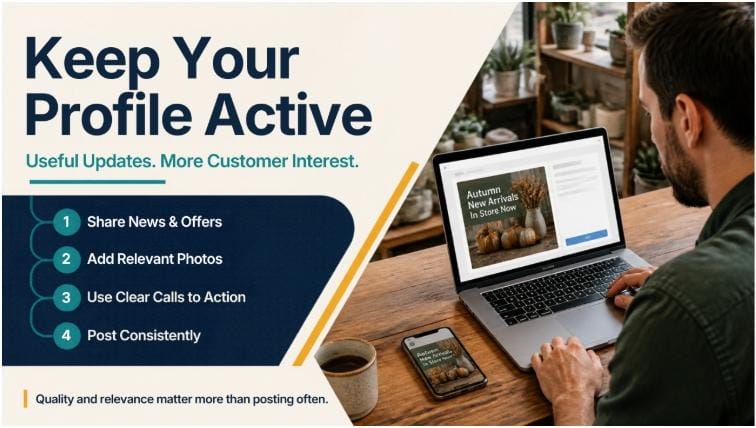
Customers are more likely to view a business's most recent information when the profile is up to date. The business may use the features available to it to post announcements, events, offers, updates to its products, and other pertinent content.
A clothing store could promote a seasonal range, while a training institute might give details about a forthcoming course. A service provider might describe a new service or update temporary opening hours.
Every update should have a clear objective and include useful information, a suitable photograph, and, when possible, a relevant call to action based on the profile.
Avoid repeating the same promotional message, since customers benefit more from specific, timely updates than from general advertisements.
For instance, a bakery might promote its festive menu and tell customers when they can place orders. A repair service could clearly state which services it offers and explain how customers can request help.
It is important to keep a publishing schedule that is realistic from the business's point of view. Some organizations can manage weekly updates, while others should publish only when there is significant news. Consistency matters, but frequent posting alone doesn't replace accurate information, excellent service, or genuine reviews.
6. Boost your presence on Google Maps.
Since Google Maps lets customers find businesses by location and the services they need, businesses should ensure their location is accurate, their category is relevant, and their profile information is complete.
When deciding local results, Google considers relevance, distance, and prominence. Relevance refers to the extent to which a profile matches the search query. Distance considers the relationship between the searcher's location and the business. Prominence indicates how well-known a business is, based on signals such as reviews and the information available about it on the web.
This is why a business cannot insist on holding the top position for every local search; for one search, a competitor with a closer location may rank higher. In contrast, for another search, a different business could be the better match.
Google Maps SEO focuses on improving the information and reputation that help customers find a relevant business on Maps; accurate categories, complete details, genuine reviews, and useful photos all strengthen a business's local presence.
Businesses should also make sure their website clearly states its location. If the business has a separate contact page, an accurate address and relevant descriptions of the areas served will help visitors understand where the business operates.
Do not produce listings for locations that do not actually exist. Multiple profiles for the same business location may confuse and could violate Google's guidelines.
A realistic local strategy focuses on the areas where the business can actually help customers, rather than relying on false location statements or promising guaranteed rankings. Effective Google Maps SEO also depends on accurate business information and a reliable customer experience.
7. Enhance your website together with your business profile.
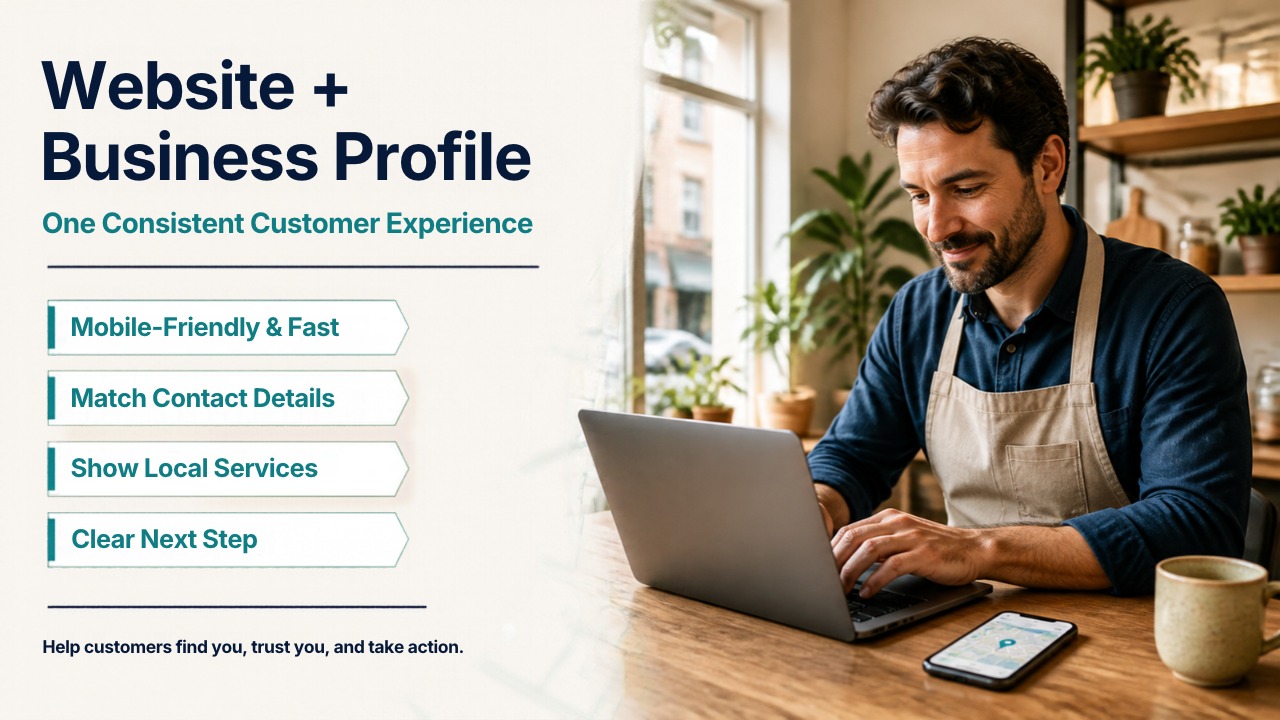
While a business profile can introduce the brand, the website often provides the extra information customers need before they decide.
Make sure the website is mobile-friendly, loads quickly, is easy to navigate, and presents the same information as the profile. Verify that the telephone numbers work, the contact forms operate properly, and the service pages describe what the business offers.
Provide relevant local information where it helps. For instance, a home renovation company could explain its services, list its project experience, and state the areas in which it provides its services, and a local clinic could give details about appointments, provide directions, and include information about its practitioners.
To optimize a Google Business Profile, also make sure the profile information matches the website; otherwise, differences in address, business name, phone number, or opening hours could confuse customers.
On key website pages, make it clear what you want visitors to do; this might mean booking an appointment, requesting a consultation, calling the office, or exploring available products.
Local content can help to strengthen this link. For example, a business that provides services in several nearby areas could produce useful pages relating to those locations. At the same time, each page must contain useful information rather than simply repeating the same content with different place names.
The website and the business profile serve different purposes; together, they can help customers find a business, assess its credibility, and take the next step. Knowing how to optimize Google Business Profile helps businesses keep details accurate and create a more useful customer experience.
8. Monitor performance and make informed improvements.
Regular performance reviews help businesses identify which activities drive the most results. Rather than judging success only by rankings, look at how people interact with the profile and whether those interactions lead to useful inquiries. Regular performance checks help businesses see whether their Google Business Profile Optimization efforts attract relevant customers.
The information relating to searches, views, calls, website clicks, directions, and other interactions available in Google Business Profile performance reports will vary according to the available reporting features.
Review these metrics over consistent periods and compare results month by month to spot changes that need investigation.
For instance, if profile views increase without a corresponding rise in calls, customers may need clearer service information; an increase in direction requests could also signal greater interest in visiting the physical location.
To improve local search rankings on Google, businesses need a clearer understanding of what customers search for, how competitors serve them, and which parts of their online presence need improvement.
Make specific changes based on the findings by updating outdated photographs, correcting incomplete details, improving service descriptions, or addressing recurring customer concerns. Rather than assume each edit will immediately improve rankings, keep a close eye on the results.
It also helps to compare profile activity with website inquiries and real sales. Although a high number of views may seem impressive, only qualified leads and satisfied customers better indicate business value.
Keep a simple record of any significant updates and performance changes. This makes it easier to spot patterns and avoid making unrelated changes without first understanding their effects. Understanding customer behavior is an important step in learning how to improve local search rankings on Google.
9. Do not make the common mistakes in local SEO
An established business may lose potential customers if its online information is inaccurate or misleading, so review it regularly to spot problems before they affect the customer experience.
Common mistakes include:
- Keeping the previous opening hours on the profile.
- Selecting categories that do not describe the business.
- Including keywords in the official business name.
- Uploading photographs that are irrelevant or misleading.
- Ignoring customer reviews.
- Buying ratings or putting up false feedback.
- Issuing promotional updates repeatedly with no useful information.
- Having inconsistent contact information on different platforms.
- You should expect to see immediate results after each profile change.
- Promising customers that they will rank first on Google.
It is a mistake to regard local SEO as a one-off job. Because business details, customer expectations, and competitors change over time, businesses must check the profile regularly rather than leaving it alone after verification.
When making changes, businesses should follow Google's current guidelines, since suspicious shortcuts can create issues that are harder to resolve than keeping an accurate profile from the start. Businesses can better understand how to improve local search rankings on Google by correcting inaccurate information and following established guidelines.
Conclusion
Optimizing a Google Business Profile is an ongoing process that links accurate business information to customer trust and local visibility. When a profile is complete, people clearly understand the services a business provides, and authentic photos and reviews provide useful context for their decisions.
By keeping their details accurate, choosing the right categories, responding to customer feedback, and posting meaningful updates, businesses can build a stronger local presence. They should also improve their websites and review performance data to understand customer needs better. Consistent Google Business Profile Optimization can support long-term local visibility when combined with reliable service and accurate information.
No single action guarantees better rankings; steady improvements, dependable service, and an honest online presence provide a solid foundation for long-term growth.
In 2026, the aim goes beyond appearing in local search; it is to ensure the right customers get relevant information and feel confident choosing your business.

0 Comments